
It may
be easier to use a printout to complete this part of the installation. When
you have finished continue with the next step:
Configure OnQ to use the new printer.
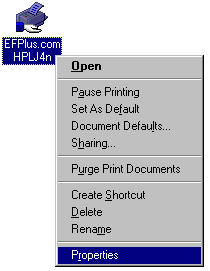
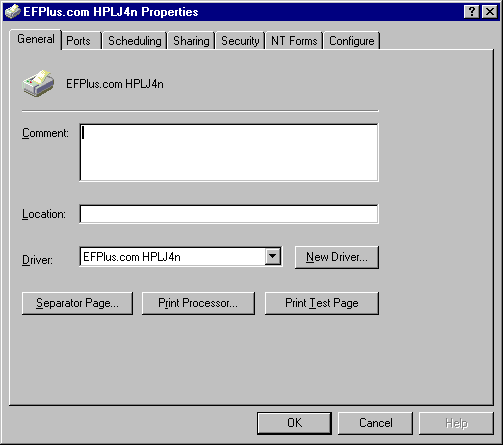
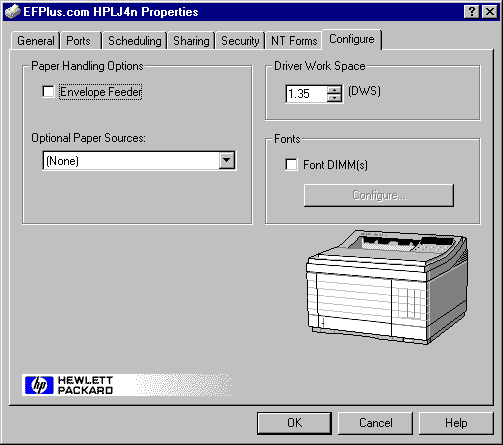
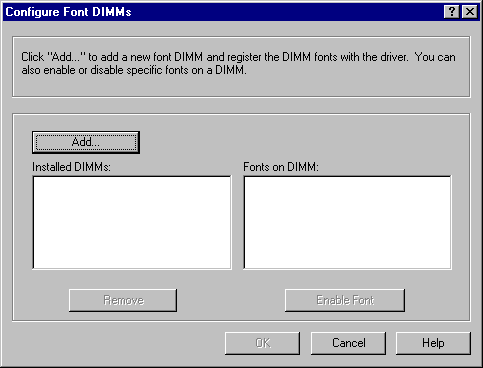
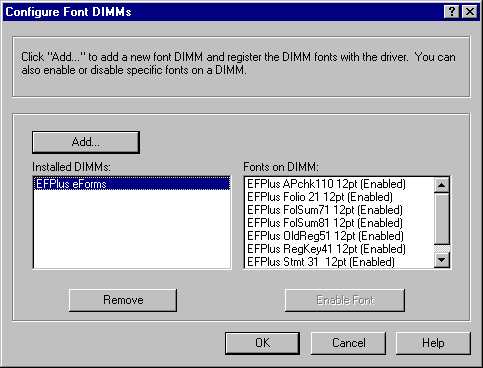
If you do not see EFPlus eForms in the Installed DIMMs
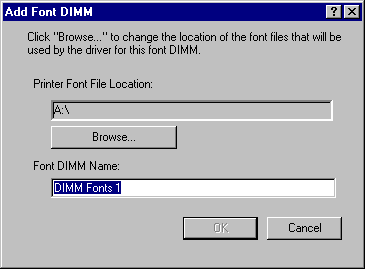
area, click on the Add... button.
| file: /Techref/app/pms/system21/cd210/fontinst.htm, 5KB, , updated: 2009/1/22 14:19, local time: 2025/8/25 19:24,
216.73.216.125,10-3-159-76:LOG IN
|
| ©2025 These pages are served without commercial sponsorship. (No popup ads, etc...).Bandwidth abuse increases hosting cost forcing sponsorship or shutdown. This server aggressively defends against automated copying for any reason including offline viewing, duplication, etc... Please respect this requirement and DO NOT RIP THIS SITE. Questions? <A HREF="http://www.piclist.com/techref/app/pms/system21/cd210/fontinst.htm"> Install the e-Forms fonts.</A> |
| Did you find what you needed? |
|
PICList 2025 contributors:
o List host: MIT, Site host massmind.org, Top posters @none found - Page Editors: James Newton, David Cary, and YOU! * Roman Black of Black Robotics donates from sales of Linistep stepper controller kits. * Ashley Roll of Digital Nemesis donates from sales of RCL-1 RS232 to TTL converters. * Monthly Subscribers: Gregg Rew. on-going support is MOST appreciated! * Contributors: Richard Seriani, Sr. |
|
Ashley Roll has put together a really nice little unit here. Leave off the MAX232 and keep these handy for the few times you need true RS232! |
.